finFoil v1.0 is finally Released! (Win, MacOS & 3D export)

The finFoil-1.0.0-437.dmg file works great for me now. Installs and runs fine and image drag/drop feature works as expected for outside and inside sections. I didn’t test thickness or profile sections for adding an image.

I have my security settings pretty tight on my Mac so I had to add an exception under Preferences -> Security -> Allow apps downloaded from: anywhere, so that it would run. Just had to click “open anyway” and it allows FinFoil to run with my security settings. Might come in handy for other Mac users who aren’t running as an “Admin” user.

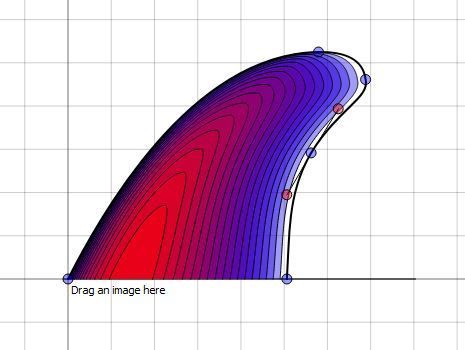
I created the fin below in about 3 minutes. It’s got some lumps in it I could clean up with another few minutes fine-tuning, but it’s insanely easy to create the exact fin profile/thickness/profile that you want in FinFoil. Great work!
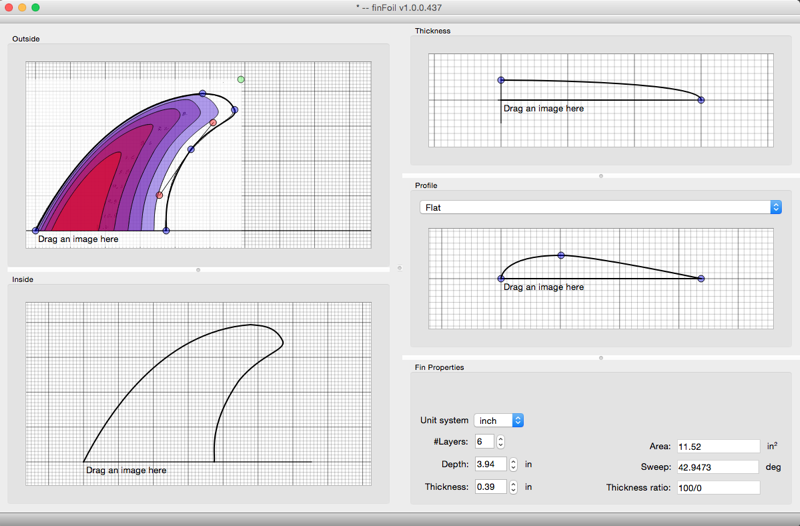
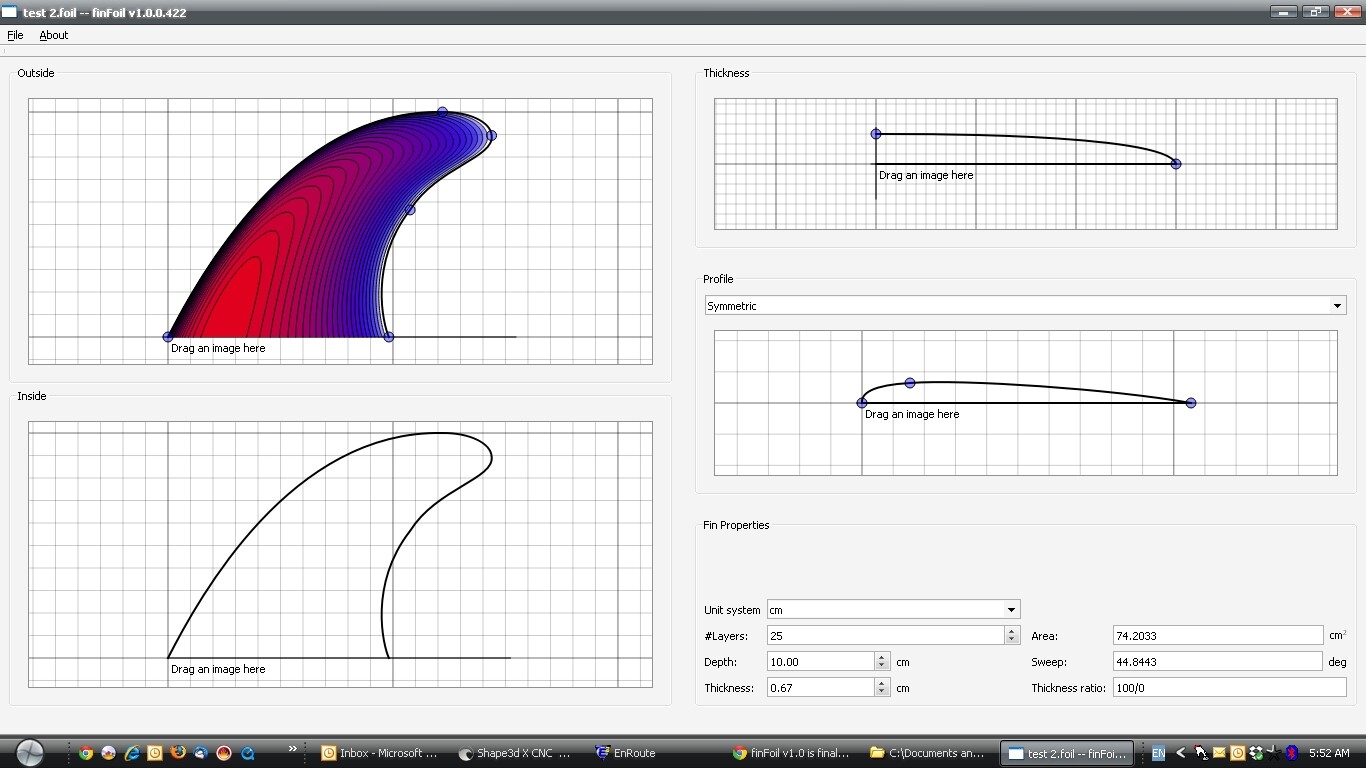
ok got it … talk about simple to use … downloaded the program about 30 minutes ago … took about 10 minutes to get aclimatized … then another 10 minutes to create this fin …

now i have further questions as i just couldnt quite get control of where i wanted the foil to go , but this was close ,  i just ran out of time today …

attached 2 pics … 1st design attempt …

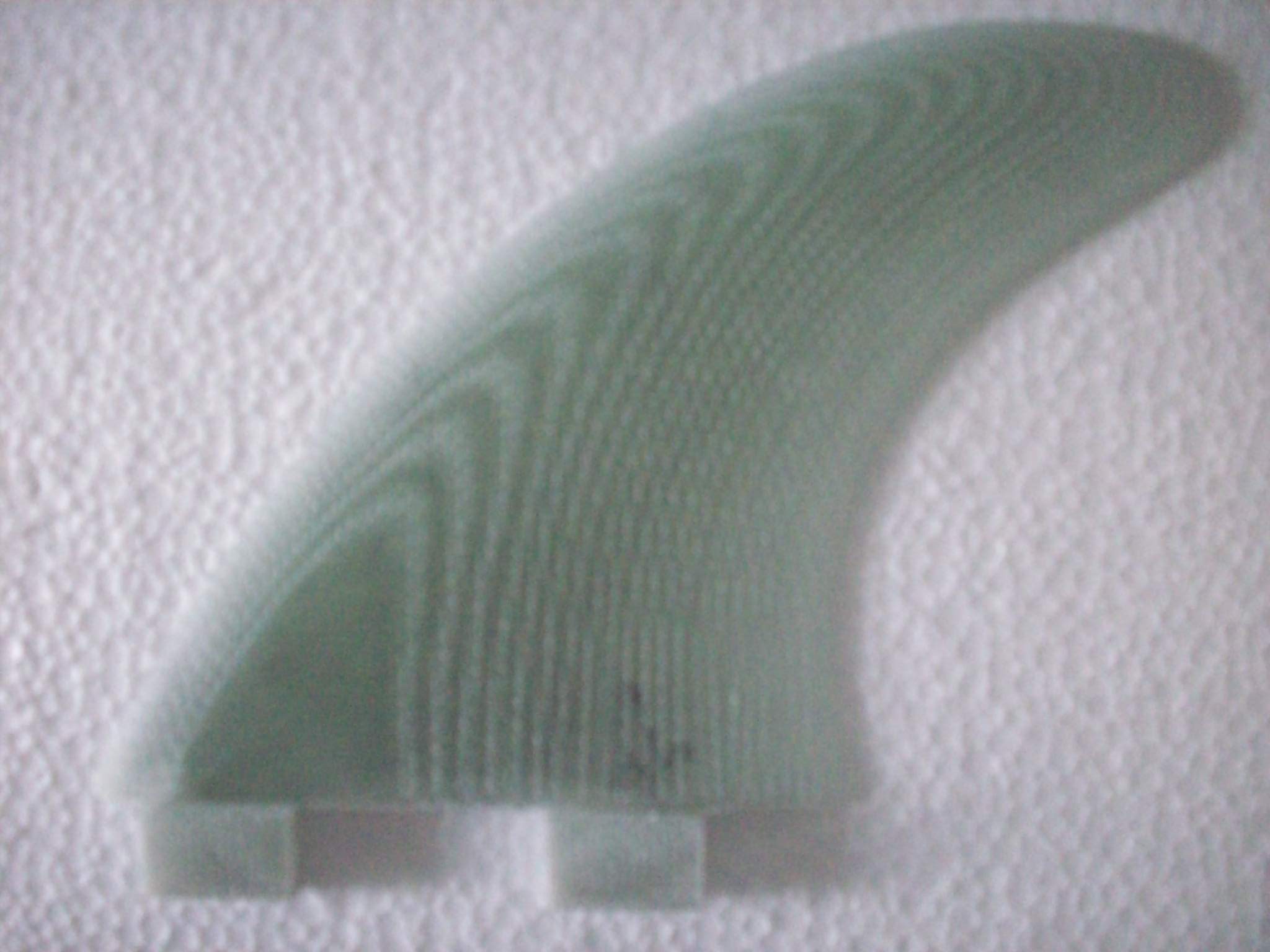
the other a recent handfoiled fin …

i struggled to recreate this foil … the thickest part of the foil would gradually move as i got closer to the tip…

any suggestions ??


regards

BERT


Hi Bert,

I’m not sure that I fully understand your issue, but I believe the following explanation answers your question:

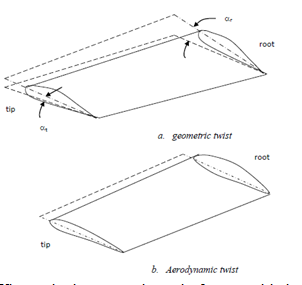
finFoil uses exactly the same foil profile from base to tip (with a aspect ratio adapted to the local thickness). While the hand foiled fin in your picture has a different foil profile in the tip than at the base.

Currently there is no way in finFoil to achieve a different foil profile at the tip as at the base, as this would complicate the application considerably.

The change in foil profile is called aerodynamic twist:


If you really need this feature, we could talk about that. But I don’t believe this is really an interesting feature.

Anyway, this probably explains why the contour lines closer to the tip deviate from your hand foiled fin.

hey hans … yes , you answered correctly and did understand what i was trying to say …  honestly , i dont believe hand foiling to be 100% accurate anyway …

so when you say the foil has the same profile at the tip as it does at the base …

im assuming this is a line parralel to the base ??

this was just my first attempt , so on my next one i will aim for something more exact, having more time to get it right …

i liked how you could just type in a number to set the depth/height and the thickness …

what i thought could be helpful is 2 more dialogue boxes , so it was possible to type in base length , plus over all fin length/width…

having the cm 2 as a grid in the back ground was helpful , but i felt like there was still some room for error give or take 0.5mm…

i felt a bit uncomfortable trying to use the mouse to move the control points, as an example , in Shape 3d , you can click on a control point then use keyboard strokes to move points or hold the Ctrl button plus keyboard strokes to get smaller incremental movements, as well as having a dialogue box showing the X Y or Z coordinates that change respectively as you move the points …   

the feature for draging in the image really helped you indentify if you had it right or not … so as it is now , your really dependant on this image , having the dimensions of the image is important…

anyway , i will play more today and look at the next steps of exporting the STL …and then seeing how it looks in 3d in another CAD program …

nice work hans and thanks for sharing , happy to work with you on further refinements …

regards

BERT


hans …firstly  i seem to be having the same problem as tspinks … i get an error message after ive uploaded the file … i re read your advice to tspinks , tried multiple times … im using chrome… virus software off …

secondly … some more thoughts on the design aspect …

it would be nice to isolate and enlarge the working window of 1 axis at a time along with a zoom function…

very difficult to work in such a small window to try and line up to the loaded image correctly…

regards

BERT


Hi Bert,

The profile is indeed extruded as a line parallel to the base.

Thanks for your feedback! I will add you ideas to my backlog list.

Zooming is already possile, use CRTL + scrollwheel on an editing area.

I don’t know what is going wrong with the webpage. I’ll let it return error messages when I find the time, so that troubleshooting is easier. A virus scanner shouldn’t have an influence on it.

If you’d like to have an stl file earlier, you can send the .foil file to me and I’ll send you the stl file. Or you can try out this stl file: http://hrobeers.be/images/shape/fins/finFoil/stl/20141114/fin.stl

I also just tried the finFoil-1.0.0-437.dmg installer. I get the same “finfoil quit unexpectedly” as soon as I try and open it.

I’m on a macbook pro, osx 10.6.8 and running an intel core 2 duo if that helps your buddy who’s doing the build.

ok thanks hans … for the zoom pointer , i also see i can open all windows larger by moving the frames around , so you have that one covered…

if i click your link to the STL , it loads in as a  certificate trust list… not as an STL file…

what if i email you the foil file??? 

regards

BERT

Hey Bert, I was able to upload my .foil file and generate a .stl using Hans webpage using Firefox 35. Try installing and using Firefox and see if that works for you. If it’s a Chrome vs. Firefox issue that’ll help Hans debug the problem also.

Hans, I’ve got an older Macbook running 10.6.8, I’ll install finFoil-1.0.0-437.dmg and see if I can replicate drziodberg’s error and send you the console log if so.

hey Lawless , hans … i just tried firefox , still didnt work and the problem was different …

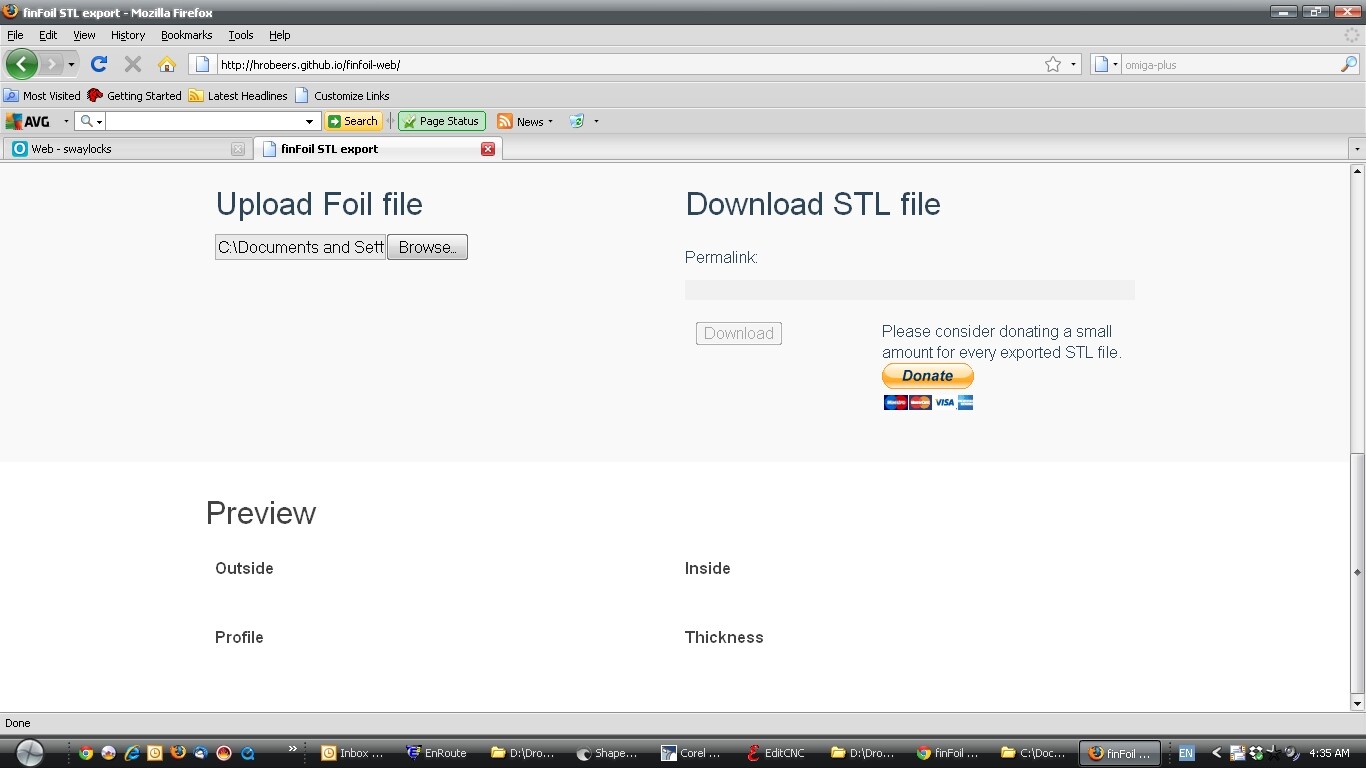
will include screen shot … after i clicked browse to load the file , then clicked on the file , it loaded into the box , but the browse button remained active as if it was still asking me to upload a file … loaded the same file 3 times , download STL file button remained doormant …

regards

BERT

Oh if a console log or something of that nature will help I can get that. I’m somewhat familair with this sort of stuff. This is what the console displays after I try and launch finfoil and get the unexpected quit message. Is it a 64 bit vs 32 bit issue? If this isn’t what we need I’ll be glad to help diagnose further. You’ll just have to give me some hints since I wouldn’t call myself too knowledgeable about this sort of thing.

Process:         launchd [1087]

Path:            /Applications/finFoil.app/Contents/MacOS/finFoil

Identifier:      launchd

Version:         ??? (???)

Code Type:       X86-64 (Native)

Parent Process:  launchd [96]

Date/Time:       2015-02-04 17:10:02.789 -0500

OS Version:      Mac OS X 10.6.8 (10K549)

Report Version:  6

Exception Type:  EXC_BAD_ACCESS (SIGSEGV)

Exception Codes: KERN_INVALID_ADDRESS at 0xfffffffffffffff8

Crashed Thread:  Unknown

Backtrace not available

Unknown thread crashed with X86 Thread State (64-bit):

  rax: 0x0000000000000055  rbx: 0x0000000000000000  rcx: 0x0000000000000000  rdx: 0x0000000000000000

  rdi: 0x0000000000000000  rsi: 0x0000000000000000  rbp: 0x0000000000000000  rsp: 0x0000000000000000

   r8: 0x0000000000000000   r9: 0x0000000000000000  r10: 0x0000000000000000  r11: 0x0000000000000000

  r12: 0x0000000000000000  r13: 0x0000000000000000  r14: 0x0000000000000000  r15: 0x0000000000000000

  rip: 0x00007fff5fc01028  rfl: 0x0000000000010203  cr2: 0xfffffffffffffff8

Binary images description not available

Hi Bert,

I’ve sent you a PM with my email adress. Maybe I should make a support email adress to share publicly some day.

@drzoidberg: I have no idea what is going on. Please give us some time to figure this out, hopefully we can reproduce this.

Kind regards,

Hans

double post

Of course. And if there’s anything I can provide in terms of console logs or whatever that will help just let me know. 

Whatever my issue was has been resolved by updating to the latest OS. 10.6.8 apparently doesn’t play nice with finfoil. But 10.10.2 does. So if your mac isn’t running this, then this may solve your problem.

Holy smokes this is a cool app.  I don’t (and won’t) be doing any CNC machining, but the program is also great for designing fins, figuring out fin areas and identifying where the foils bands should hit the base chord.  You can select the “flat foil” and use the screen for the flat side to import images of fins so you can use the screen for the foiled side to tweak the template to match or otherwise use as a starting point for your own variations.  

The controls are simple and intuitive, especially if you’re comfortable using Boardcad or other such programs to design surfboards.  Moving the control points works the same way and has similar effects.  

I like the K-fin template in general but I wanted to tweek the trailing edge to remove the cutaway and add a touch more fin area.  And resize it for use in a twin fin application (in this case 5" x 5.25").  I’m using G10 with lots of layers so I increased the number of layers until my “flat” spot was only 1" wide.  I didn’t spend a lot of time on it so the curves might not be perfect but they’re close enough for manually templating with a jigsaw - I’m going to finish it by hand anyway.  Anyways, with this simulation I know I’m shooting for the flat spot that’s about 1" behind the leading edge @ the base and about 1.75" tall.  More or less, given my marginal skills at foiling.  .  


Long story short, I think garage guys who want to do their own fins out of 3-ply or 5-ply plywood or from fiberglass panels can also use this program to their benefit.  


Good Fun !   :slight_smile:

This is exactly what finFoil was originally designed for!

Thanks for highlighting this again.

I’m glad you like it.


BTW: the flat spot you are referring to is not really flat, it just doesn’t intersect with the next layer.