Another thought is to post when you have access to a computer, or have a friend with computer that you trust with your password. You can post from phone, and then edit from computer, save and resize pics, then delete big pics and add the smaller ones with edit feature. Its super easy to do, and I would do it myself, but with all the oversize pics on all the different threads, it gets tedious. And my wife keeps asking why I spend so much time on a non-paying job, haha. And you know what, she’s right, that’s why I’m trying to make people more aware of the problem, cuz its really a lot better if each poster takes care to make sure the pics are the right size, rather than me trying to follow each thread and edit to explain it, over and over.
Ok thanks. And I understand the issue now and trying to resolve. I think I found a way. Not to be a pain in the ass but could somebody tell me if this size is acceptable? Says it is 75.7 kb Thank you
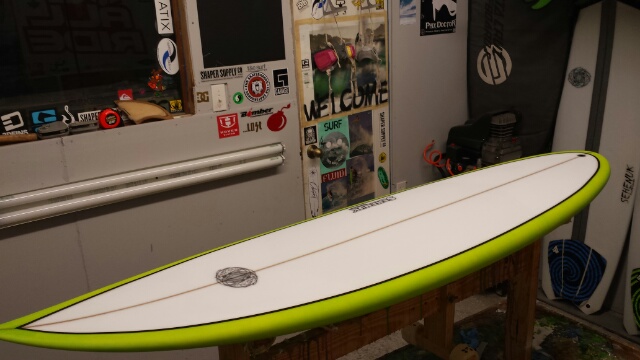
perfect!
Ok awesome. Thanks for the input and glad I will no longer hold up the site. Cheers to you Huck for all you do.
Aloha, Mitch
This is a test, to see if the software changes addressed the picture issue. I’m posting an oversized pic, to see if the forum software will resize it.
edit: Nope, didn’t resize it. Well, visually it gets resized to fit in post, but still way oversized, which you can tell by taking the pic’s URL and paste and go. Only requirement listed is that it be less than 20 MB, but that’s huge.
here’s the pic as posted
http://www.swaylocks.com/sites/default/files/dorries%20job%20and%20misc%20015.jpg
Yup. 3,264px × 2,448px is way too big for anyone’s screen
In p-shop, I can save an image and choose not only size in pixels ( W x H) but also image quality on a scale of 0 to 12. So I can do two copies of the same image with vastly different file sizes. Depends on the intended use of the image. Internet postings can be low to mid quality at most.
This pic is 2848 x 4288. I saved it as a “0” quality image and it’s only 217 kb. So, there’s more than one way to skin a jpeg.

Sammy - is there any way to know the file size? If I get the pic’s URL I can check the picture size, but how can I know file size? I know the oversize pics are freezing screens, but I’m sure its the file size at issue. I have been shrinking, or posting links, to the oversize pics, but your image would fall into that category. If you’re saying the file size on your pic is not an issue, is there any way for me to know that?
Yes. It’s quite easy if you use a computer running Firefox.
Right click on the image. In the menu that appears, choose “view image info”. You get this window. I have underlined the file size info in red - 217kb, and the image dimensions are underlined in yellow. That shows the original size first, then what it was automatically scaled to, in order to fit the page. So, as I said…that picture was purposely uploaded as a large image with a small file size. The pixel dimensions do not necessarily dictate the size of the file. I could do a smaller image with a much bigger file size.
Here’s the screenshot. I tried it with Chrome and there’s no similar function as far as I could tell. firefox is the way to go, it seems. Can’t tell you about Opera or Safari. I use neither.
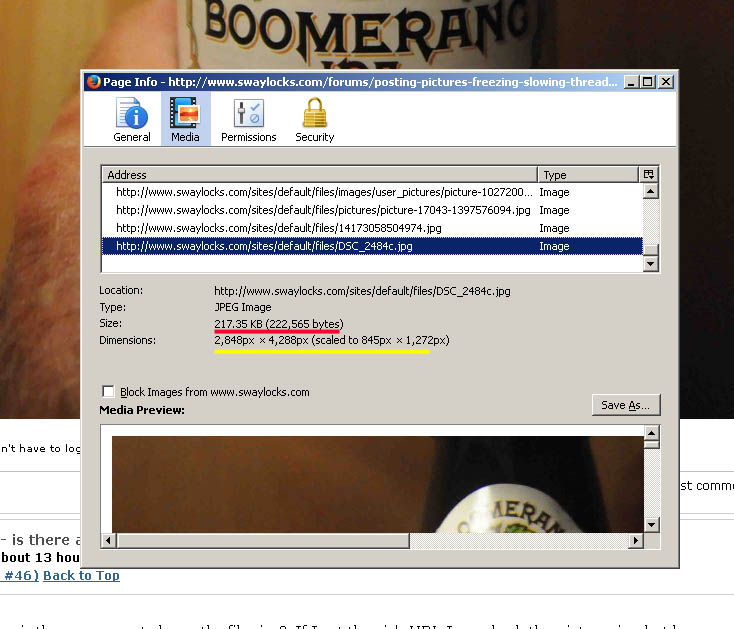
Size means kilobytes, dimensions means pixels. Two different things, entirely.